
The short version
A useful starting point
Consider Canva for a short guide or checklist needing page-by-page visual layout. Check page breaks after changing copy and keep a record of asset permissions.
A good fit if…
A short guide or checklist needing page-by-page visual layout.
Look elsewhere if…
You need the behaviour of a dedicated long-document publishing system more than control over individual page layouts.
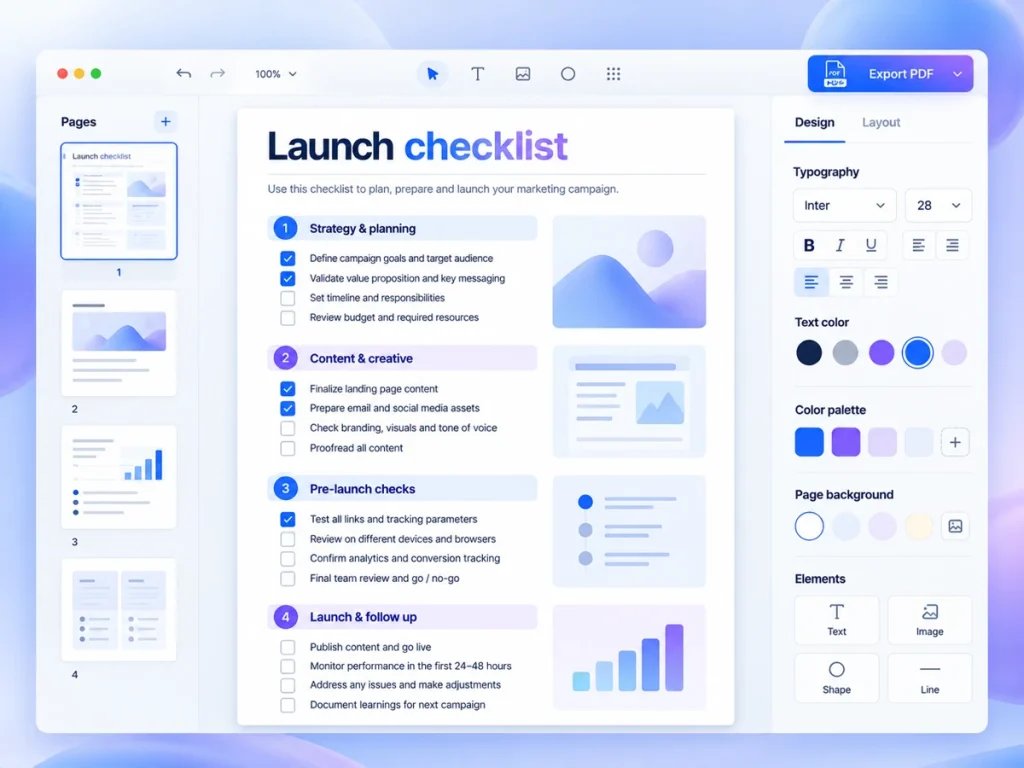
Canva offers multi-page ebook templates, editable typography and visual elements. Designs can use uploaded artwork or library assets, and collaborators can receive editing or viewing access through sharing controls. This makes it a candidate for a short guide or checklist needing page-by-page visual layout. The sections below connect those features with a task you can try using your own material.
What Canva contributes—and what still needs your judgement
Confirm the download format and the licence for every selected library asset. Check page breaks after changing copy and keep a record of asset permissions. It may not be the right purchase if you need the behaviour of a dedicated long-document publishing system more than control over individual page layouts.
The useful appeal is a starting structure for content that might otherwise remain a dense document. Your responsibility is still editorial: deciding what belongs together, which instructions need explanation and where readers need space to act. A polished layout cannot rescue an ambiguous task. Resolve ambiguous wording before spending time adjusting type or choosing visuals.
A realistic task: package a newsletter launch checklist
As a hypothetical example, imagine a solo consultant with an existing 18-item newsletter launch checklist. It covers preparation, sending and follow-up, but currently reads as one uninterrupted list. The design task is not to make the resource longer. It is to help a reader identify the current stage, understand each action and see what remains unfinished.
A sensible trial would divide that content into three sections and lay out only one section first. Keep the original wording nearby so you can notice whether design decisions are distorting the advice. An item such as “review your welcome message” may need a short explanation of what to review; a decorative illustration is unlikely to solve that gap.
Judge the template by reading effort
Look for a layout that gives repeated checklist items a consistent shape. Readers should be able to distinguish an action from its supporting explanation without studying the page. Use typography to establish that hierarchy, and leave enough breathing room between tasks. If a template requires shrinking the text to accommodate your content, reconsider the layout before cutting useful instructions.
Visuals should earn their place. For this hypothetical newsletter checklist, an image might contribute little compared with a specific section break or a short worked example. Adding assets also introduces a rights-checking task. A restrained design can therefore reduce both visual distraction and the number of asset permissions you need to understand, without making the document less useful.
Run a small output trial before designing every page
Create a representative sample containing a section heading, several checklist items and the longest explanation you expect to include. Then investigate the available output options and produce the version you intend readers to receive. Sharing is listed in the published product details, but sharing a design and supplying a downloadable resource are different delivery decisions; confirm the route your audience actually needs.
Inspect that sample in the conditions you expect readers to use. If phone reading matters, check whether the text is comfortable without repeated zooming. If printing matters, inspect a printed sample for spacing and legibility. These are proposed checks, not reported test results. They help you evaluate the finished artefact rather than judging only the editing view.
Account for revisions, not just the first version
The initial setup involves choosing a layout, establishing a typographic hierarchy and placing your existing content. Later work is more likely to involve changing instructions or adding an item. During the trial, insert one extra task into the busiest section. Notice how much rearrangement is required. A layout that tolerates realistic edits is a better operational choice than one balanced around a fixed amount of text.
Keep a master copy of the checklist wording and a simple revision note outside the visual design. That is a recommended working practice, not a claimed Canva feature. It gives you a specific reference when updating the resource. Before building the full document, use the checks below to decide whether the sample is ready to become your working format.
Strengths
- Template-based pages with editable type, artwork and shared review.
- Canva offers multi-page ebook templates, editable typography and visual elements.
Limitations
- Check page breaks after changing copy and keep a record of asset permissions.
- Confirm the download format and the licence for every selected library asset.